At HDFC Bank, we offer Credit Cards with a range of benefits and rewards, powered by the secure RuPay
payment network.
HDFC Bank RuPay Credit Cards come in different variants suited to your unique needs and
preferences. You can choose from categories like travel, shopping, business and more. Enjoy the
benefits of redeemable reward points, get deals on travel bookings, lifestyle brands and much more.
What’s more, RuPay Credit Cards are now enabled for Unified Payment Interface (UPI) payments. You
can easily link your RuPay Credit Card with UPI apps and start earning rewards for your UPI
transactions. Choose HDFC Bank RuPay Card to get a secure and rewarding credit experience.
Get the most out of HDFC Bank Rupay Credit Cards

Wide Range of Rupay CC
Find out the range of Rupay Credit Cards offered by HDFC Bank

Features & Benefits
Know more about features and benefits of UPI Rupay Card

Incredible Offers
Avail amazing offers with UPI Rupay Credit Card

Steps to Apply
Getting a UPI Rupay Credit Card has never been Easier

Calculate your Savings
Calculate your savings with UPI Rupay Credit Card Calculator

Testimonials
Hear from other users about UPI Rupay Credit Card
Wide Range of Rupay Credit Cards
by HDFC Bank
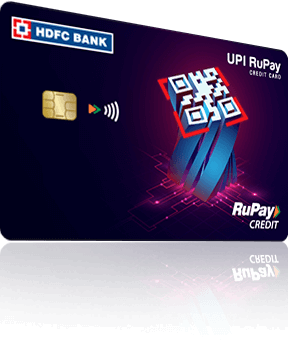
Tata Neu Plus
HDFC Bank Credit Card
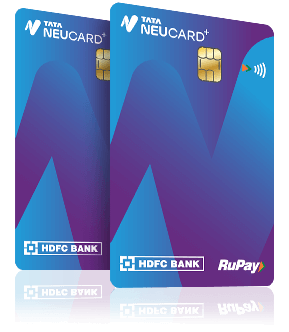
- 2% NeuCoins on Non-EMI Tata Brand purchases.
- 1% NeuCoins on Non-Tata Brand & EMI spends.
- Up to 1% NeuCoins on UPI spends (Max 500 NeuCoins/month).
- Effective Aug 1 2024, breakdown of this 1% will be 0.25% from the bank, and 0.75% from Tata Neu UPI.
- Additional 5% NeuCoins on select Tata Neu categories (NeuPass required, effective Jan 15 2025, Primary Cardholder mobile number only).
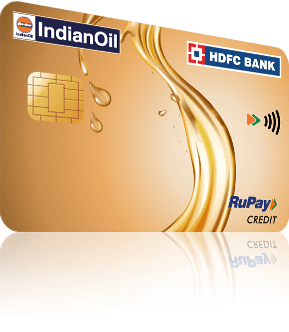
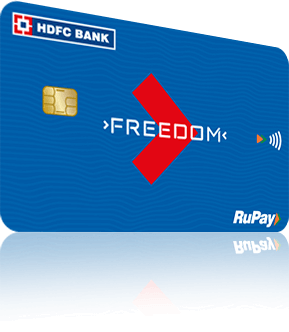
HDFC Bank
Biz First Credit Card

- 3% CashPoints on EMI Spends (Earn Maximum 1,000 CashPoints/Calendar month).
- 2% CashPoints on Utility bills, Electronics, SmartPay & Payzapp transactions (Earn Maximum 500 CashPoints/Calendar month).
- 1% CashPoints on all other spends including UPI spends (Earn Maximum 500 CashPoints/Calendar month).
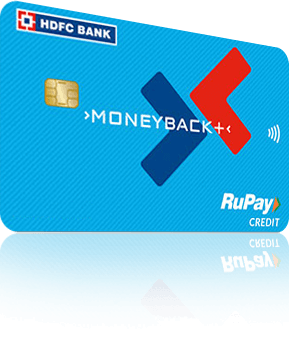
Tata Neu Infinity
HDFC Bank Credit Card
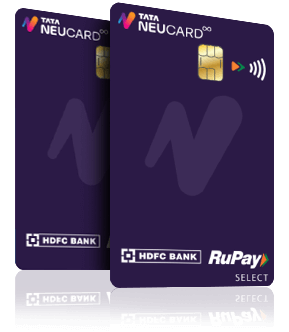
- 5% NeuCoins on Tata Brands.* (This covers Tata Neu and partner brands, with a clear asterisk for terms.)
- 1.5% NeuCoins on All Other Spends.* (This includes non-Tata brands and EMI spends.)
- Up to 1.5% NeuCoins on UPI Spends.* (This highlights the UPI benefit, with the understanding that it's capped and has specific conditions.)
- Additional 5% NeuCoins on Tata Neu App.* (This highlights the extra benefit through NeuPass and the Tata Neu app.)
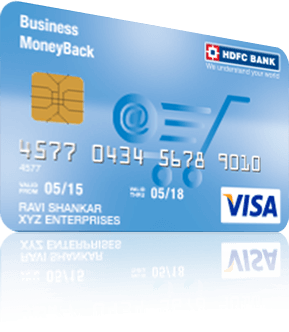
HDFC Bank
Biz Grow Credit Card

- Up to 55 Days Interest-Free Credit.
- 2 CashPoints per ₹150 on Business Spends.
- 10X CashPoints on Key Business Payments (Includes tax, bills, software).
- Exclusive Savings on Business Travel & Tools (Via SmartBuy BizDeals).
- Quarterly Milestone Bonus: 2000 CashPoints.
- Activation Gift Voucher: ₹250.
- Fuel Surcharge Waiver & Dining Discounts.
- SmartPay Bill Payment Benefits.
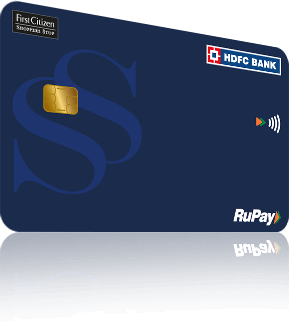
Features and Benefits

3%
Cashpoints
on Groceries, SuperMarket & Dining spends & PayZapp transactions. (Maximum of 500 Points can be earned in a calendar month)

2%
Cashpoints
on Utility spends (Maximum of 500 Points can be earned in a calendar month)

1%
Cashpoints
on other spends (Excluding Rent, Wallet loads, EMI, Fuel, Insurance Payments & Government categories)(Maximum of 500 Points can be earned in a calendar month)

Welcome
Benefits
Gift voucher worth INR 250* (if 1st transaction done within 37 days of card issuance)

Incredible Offers with
your UPI Rupay Credit Card

ELECTRONICS

Tap to Scratch
70% Off
On Electronics
Food & beverages

Tap to Scratch
40% Off
On Food and beverages
Apparel

Tap to Scratch
20% Off
On Apparel
Skincare

Tap to Scratch
25% Off
On Skincare
Hotel

Tap to Scratch
25% Off
On Hotel
HOME DECOR

Tap to Scratch
30% Off
On HOME DECOR
Clothing & Accessories

Tap to Scratch
20% Off
On Clothing & Accessories
HEALTH & BEAUTY

Tap to Scratch
25% Off
On HEALTH & BEAUTY
TOYS & GAMES

Tap to Scratch
20% Off
On TOYS & GAMES
BOOKS & MEDIA

Tap to Scratch
30% Off
On BOOKS & MEDIA
TRAVEL & EXPERIENCES

Tap to Scratch
50% Off
On TRAVEL & EXPERIENCES
AUTOMOBILE

Tap to Scratch
20% Off
On AUTOMOBILE
Entertainment

Tap to Scratch
20% Off
On Entertainment
EDUCATION & LEARNING

Tap to Scratch
20% Off
On EDUCATION & LEARNING
FINANCIAL SERVICES

Tap to Scratch
15% Off
On FINANCIAL SERVICES
FITNESS & WELLNESS

Tap to Scratch
20% Off
On FITNESS & WELLNESS
Previous
Next
How to Apply for Rupay Credit Card
Apply on PayZapp
Apply on MyCards
Step 01
Step 02
Step 03
Step 04
Step 05
Step 06
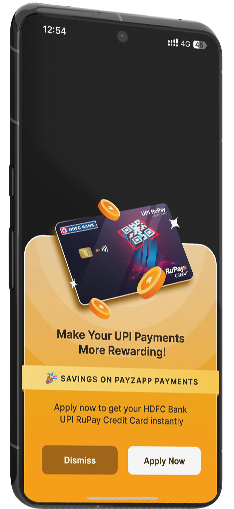

Login to PayZapp
Click on 'Apply Now' on the
UPI RuPay Digital Credit Card banner

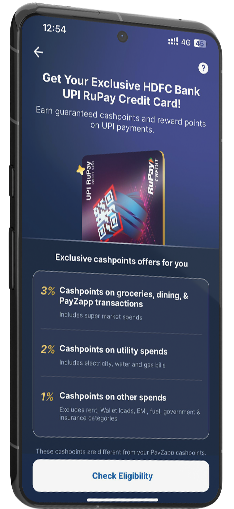

Click on 'Check Eligibility'
A confirmation screen will appear
if you are eligible for the
UPI RuPay Digital Credit Card.
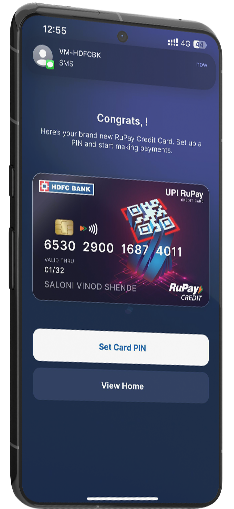

Setup your card PIN
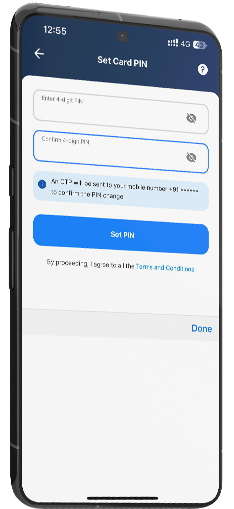
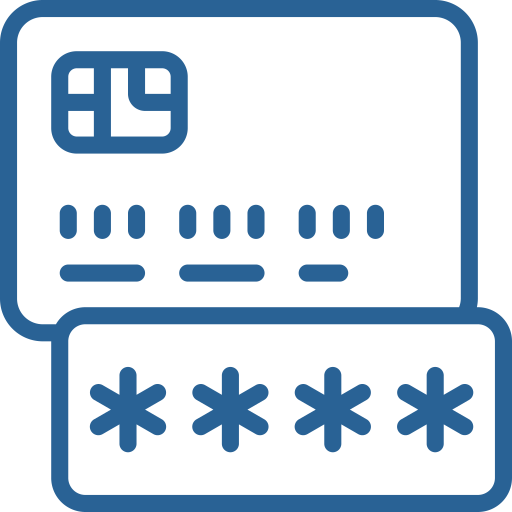
Set a 4-digit card PIN of
your choice and
click on 'Set PIN'
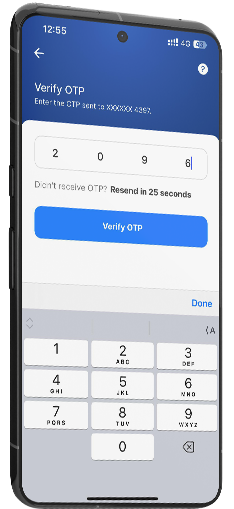

Enter the OTP received
on your registered number and
click on 'Verify Now'
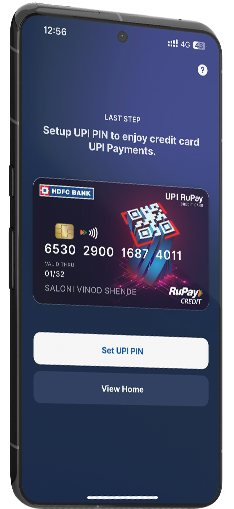

Set your UPI PIN and
your card is ready for use
You are all set!
Scan. Pay. Earn Rewards.
Step 01
Step 02
Step 03
Step 04
Step 05
Step 06
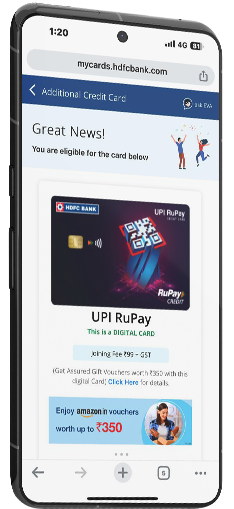

LOG INTO MyCards
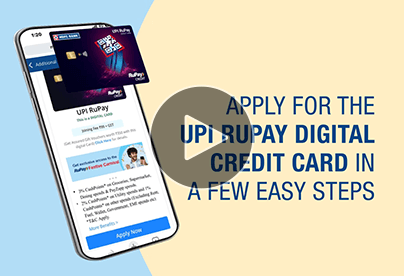
Click on the UPI RuPay Digital Credit Card banner.

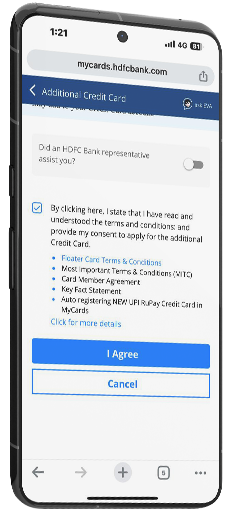

Accept the Terms & Conditions
by selecting the tick box.
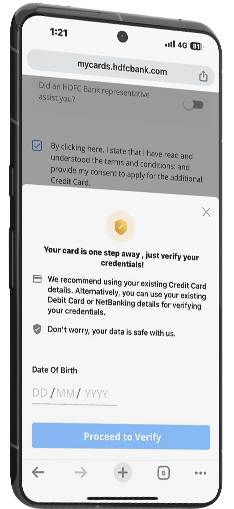

Verify your credentials
Enter Date of birth & click on ‘Proceed’
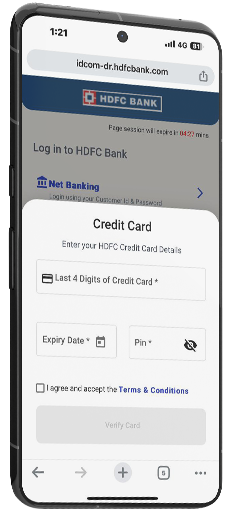

Complete the authentication process.
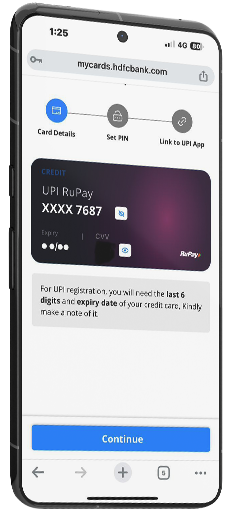
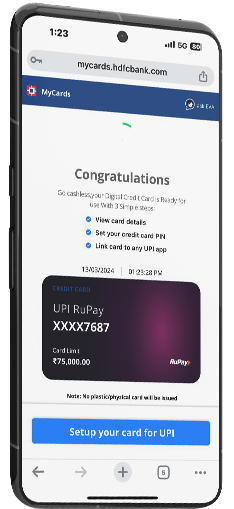
Set PIN to setup your card for UPI
Link your
UPI RuPay Credit card
See How Much
You can Save with UPI Rupay Credit Card
Calculate your Savings with the Credit Card Calculator
 Calculate Now
Testimonials
See what our clients have to say

Ankur
This card is perfect for anyone who frequently uses UPI for payments. I’ve been using it for all my transactions, and the rewards keep adding up. The 3% CashPoints on PayZapp transactions are an amazing bonus!
Read More
Riya Sharma
I recently got the HDFC UPI Rupay Credit Card, and it has been a
game-changer for my everyday expenses. The standout feature for me is earning 3%
Cashpoints on spends through Payzapp. It feels great knowing that every transaction adds
value, whether it's shopping, dining, or paying bills.
The seamless UPI integration and ease of use with Payzapp make it incredibly convenient
for both offline and online payments. Plus, redeeming the cashpoints is simple and
rewarding.
Highly recommend for anyone looking to maximize their benefits.
Deepanshi A
My wallet just leveled up. 3% back on essentials, plus an Amazon voucher? This card's a cheat code for savings!
Read More
Shubham Varma
This card is the epitome of convenience meets rewards. This card is perfect for using on pretty much every expense. I've linked it to pretty much all my UPI platforms that helps me get rewards even if I purchase a packet of chips.
Read MoreFAQs
Unified Payment Interface (UPI) on credit cards is a credit card feature that allows you to link the card to UPI payments. Typically, you can link UPI to a bank account, and after making a UPI payment, the money is deducted from the bank account. With UPI on a Credit Card, after making a payment, the amount will be deducted from your Credit Card's credit limit and billed to you in the upcoming Credit Card statement.
You can apply for an HDFC Bank UPI RuPay Credit Card online instantly through MyCards and PayZapp. In case of an issue, please get in touch with customer care for further assistance.
First, you must link your UPI-enabled Credit Card to a UPI app of your choice. Next, when you make UPI payments, choose to pay with your credit card as the payment option.
Note that an HDFC Bank UPI RuPay Credit Card is issued as an additional floater card on your existing Credit Card. Therefore, the credit limit of the UPI RuPay Credit Card will remain the same as your existing card's credit limit, and it will be shared between the two cards.
No, you cannot. The Digital UPI RuPay Credit Card is solely a virtual card; hence, the cash withdrawal facility does not apply to such cards.
You can click here to learn how to activate your HDFC Bank UPI RuPay Credit Card. You must set up a PIN for your Credit Card before you link your RuPay Credit Card to a UPI app.
Only existing HDFC Bank customers can apply for HDFC Bank UPI RuPay credit cards.
The HDFC Bank UPI RuPay Credit Card is a virtual Credit Card. You can view the card details on HDFC Bank's MyCards, *Physical card issued on UPI RuPay BIZ credit card for running pilot program.
While you can use a UPI Credit Card like any other Credit Card, its most significant advantage is that you can use the card to make UPI payments; you can pay via your UPI Credit Card at the time of UPI payment. You can enjoy the new world of 'Credit + Convenience' with HDFC Bank UPI RuPay Credit Card, which is enabled for UPI payments. Once you link your HDFC Bank UPI RuPay Credit Card to UPI apps, you can earn reward points and the convenience of Scan and Pay.
With the HDFC Bank Digital UPI RuPay Credit Card, you can avail of 3% CashPoints on Groceries, SuperMarket & Dining spends, and all PayZapp transactions, 2% CashPoints on utility spend and 1% CashPoints on other spends*. The maximum CashPoints you can earn under each category per month is 500. You can check the detailed terms and conditions here.
A UPI Credit Card offers the perks of UPI and a Credit Card. Like UPI, you can make quick payments to a merchant UPI ID or scan a QR code to pay, and like a Credit Card, you can enjoy the benefit of buying now and paying later. To use the card, you must link it to a UPI app. When you make a payment via UPI, you can select your linked UPI Credit Card to pay. The transaction amount will be deducted from your card's credit limit and billed to you later.
Note that when a credit card is renewed, the card number, expiration date, and CVV also change. Hence, if your Credit Card is enabled for UPI and has been renewed, you must re-register the card in the UPI app.
The joining/annual fee for the HDFC Bank UPI RuPay Credit Card is ₹99 per annum.
Yes, it does. With the HDFC Bank Digital UPI RuPay Credit Card, you can receive a ₹250/- worth gift voucher for 1st transaction done within 37 days of activation. Voucher details will be shared within 90 days of 1st transaction month.
RuPay Cards are enabled for UPI payments. You can easily link your RuPay Credit Card with various payment apps and use it to transact though UPI.
To register for UPI, you need to set up your Credit Card PIN. Just dial 1860 266 0333.
Here is how you can link RuPay Card with UPI:
- Download and open your preferred UPI-enabled app, such as PayZapp.
- Register your HDFC Bank UPI RuPay Credit Card within the app.
- Once registered, you can start making UPI payments using your Credit Card.
Existing PayZapp Users
Follow these simple steps to link your RuPay Card with UPI:
- Choose 'RuPay Credit Card' and then select your Credit Card issuer to seamlessly link your RuPay Credit Card.
- Select 'UPI Accounts' and click on the '+ Add new' option.
- Log in to your PayZapp account and navigate to the 'Accounts & Cards' section.
New PayZapp Users
Follow the provided steps to get started with PayZapp and start using your RuPay Card for UPI payments.
- Download the PayZapp app from either the Google Play Store or the Apple App Store.
- Complete the PayZapp registration process.
- Head to ‘Accounts & Cards’ section and select '+ Add New’ option.
- Select ‘RuPay Credit Card' to set up your UPI.
- Choose the 'HDFC Bank Credit Card' to conveniently fetch and link your HDFC Bank RuPay Credit card.
You can update your new number on your HDFC Bank Digital UPI RuPay Credit Card profile. Once updated, you can re-link your card on UPI apps.
No, it is not. You need to generate a new UPI PIN to perform UPI payments.
To generate a UPI pin, follow these steps:
- Profile
- RuPay Credit Cards
- Add RuPay Credit Card on UPI
- Select Bank from the list
- Card will auto display last four digits
- Select card
- Set 4-digit UPI pin
- Confirm 4-digit UPI pin.
Note that as the user, it is your choice whether you wish to keep the Credit Card PIN and UPI PIN the same or not.
You can modify your UPI pin through the 'Change UPI Pin' option in your UPI apps.
To change your UPI PIN, follow the steps:
- Profile
- RuPay Credit Cards
- Select Card
- Forgot UPI
- Input last six digits and expiry
- Enter 6-digit OTP
- Enter 4-digit ATM PIN
- Set 4-digit UPI PIN
- Confirm 4-digit UPI PIN.
Post-UPI PIN generation for your HDFC Bank Digital UPI RuPay Credit Card, you can transact up to ₹5,000/- for the first 24 hours. After 24 hours, the amount limit per card per day can be up to the UPI limit (i.e. ₹1 lakh per day). However, it will be subject to the available credit limit on your credit card.
The restricted categories include digital account openings, lending platforms, cash withdrawals at merchants or ATMs, e-RUPI, IPOs, Foreign Inward Remittances, Mutual Funds and any others specified by the National Payment Corporation of India (NPCI).
No, you cannot. Only merchant payments authorised by NPCI are permitted using a Digital UPI RuPay Credit Card. This way, revolving credit by transferring money to friends and relatives bank accounts can be eliminated. Any payment made to a UPI ID or QR code that belongs to an individual and not a merchant will fail or get denied. For instance, if an auto driver offers their personal and not business UPI QR code for payment, then you can't pay for your ride using the UPI Credit Card.
In case of a UPI merchant-related issue, you can report the case for a resolution to NPCI on their official website and provide details under the 'UPI Complaint' section.